
Origami World: Learn & Play
Neli CreativeArt & Design
4.2147.00 Reviews
- Version
- 1.3.15
- Installs
- 5.00M
- Age Rating
- Everyone
Screenshots
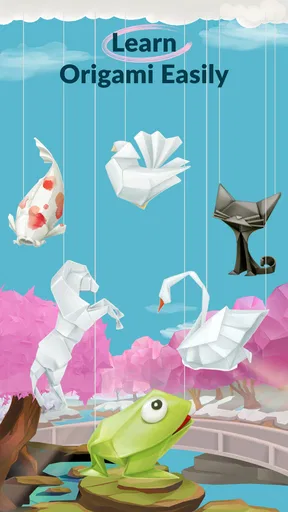
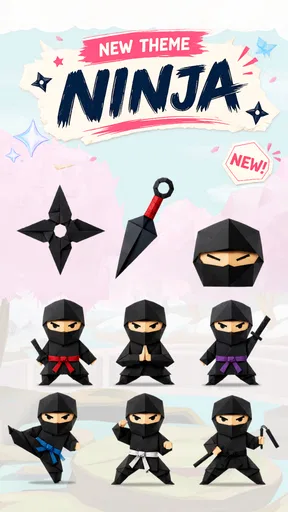
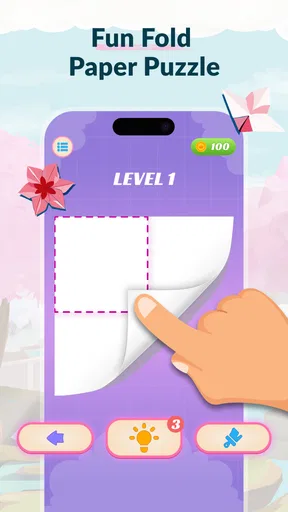
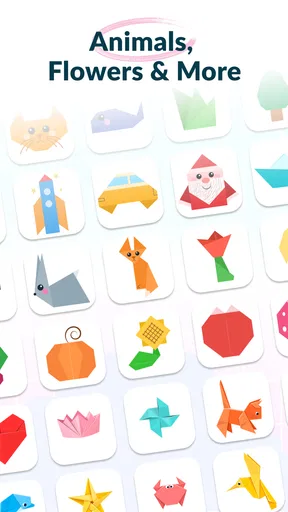
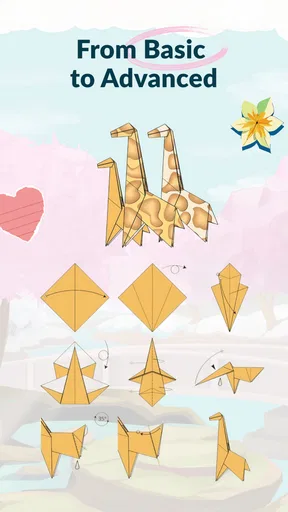
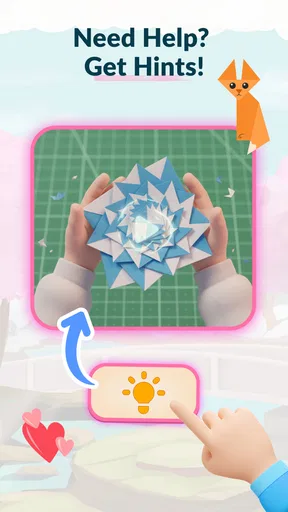
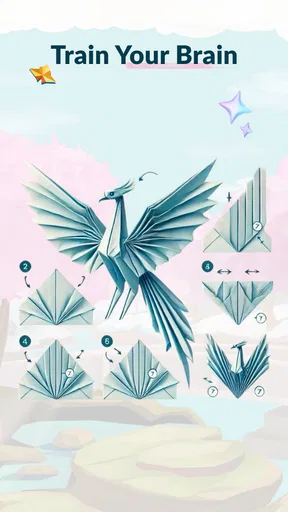

Our Review of Origami World: Learn & Play
 Analysis by Appyee
Origami World: Learn & Play is an art and design app from Neli Creative that turns paper folding into a guided activity rather than leaving you alone with a finished diagram. I approached it as someone who enjoys making small things with my hands but does not always have the patience to decode traditional origami instructions. The central idea is simple: follow an easy guide, fold along the way, and use the app as a light, playful companion while learning.
That focus matters more than the broad promise of “origami” might suggest. Many paper-folding resources are really collections of static pictures or videos. This app feels aimed at the moment when you are holding a square sheet and wondering which crease comes next. Its value depends on how clearly each stage communicates the movement, and on whether the playful presentation makes practice feel less intimidating. In my experience, that makes it approachable for beginners, children using it with an adult, and casual creators who want a short offline-style craft break rather than a serious design course.
The app is free to install and is rated for Everyone, which fits its accessible presentation. It has passed the one-million-install mark, while its average rating sits at 3.3 from roughly five and a half thousand ratings. That combination tells me to keep expectations realistic: plenty of people are curious enough to try it, but the experience will not suit every learner equally. I would treat it as a friendly starting point, not as a complete replacement for a specialist origami reference.
Why the guided folding capability makes a difference
The strongest capability here is the use of easy, sequential guidance for paper folding. That sounds ordinary until you compare it with the usual alternatives. A printed diagram asks you to translate flat arrows into a three-dimensional action. A video gives you motion, but often moves faster than a beginner can follow. A general craft website may offer more variety, yet it can be awkward to use with paper in your hands. A guided app sits between those options: it can make the next action feel manageable while keeping the activity playful.
I find this especially useful when the problem is not understanding the final shape but understanding the transition between shapes. Origami beginners often know where a model should end up, but lose track when a flap is turned, a corner is tucked, or a crease needs to be reversed. A clear step-by-step flow reduces that mental jump. Instead of memorizing a sequence, I can concentrate on matching the current fold before moving forward.
The effect is also psychological. A complicated model can look like a test of patience when seen as one finished object. Breaking it into small actions makes the first attempt feel less risky. If a fold goes wrong early, I can correct it before the paper becomes too heavily creased. That is a more forgiving learning pattern than copying a finished picture and hoping the result somehow takes shape.
The real strength is not simply showing origami; it is lowering the cost of making a first attempt. That distinction is important. Someone who already knows standard folds may find the guidance slow or obvious. Someone who regularly gives up at the first confusing diagram may appreciate exactly that slower rhythm. The app earns its place when it helps a hesitant user continue long enough to complete something.
What using the guides feels like
In practice, I would start with a clean square sheet, place the phone where both the screen and the paper are visible, and work through the instructions one action at a time. That setup sounds minor, but it changes the experience. If the phone is lying flat beside the paper, I spend less time shifting my hands and less time touching the screen with fingers that may be carrying paper dust or small creases.
I also recommend preparing several inexpensive sheets before beginning. The first attempt is rarely the best one, and that is not a criticism of this particular app. Origami depends on accurate alignment, firm but controlled creases, and recognizing whether a fold is meant to be temporary or permanent. Having spare paper turns mistakes into part of the learning process instead of a reason to stop.
The guides are most useful when I treat them as a sequence of physical checkpoints. After each major fold, I look at the paper from the same orientation shown on screen. Rotating the model too early is a common source of confusion, because left and right can suddenly feel reversed. Keeping one corner pointed toward me until the structure is established makes the instructions easier to follow.
Another practical habit is to pause mentally before pressing ahead. Even when an app presents an instruction clearly, rushing can create a crooked base that becomes impossible to hide later. I prefer to make the crease, compare the edges, and only then continue. The app can guide the order, but it cannot correct paper that was aligned carelessly. That is one of the key trade-offs of digital instruction: the screen can explain the movement, while the quality of the result still depends on the hands doing it.
How the playful side changes the learning experience
The “play” in the app’s identity is useful because it gives the activity a lighter purpose than perfect craftsmanship. I do not need to approach every model as a test of precision. I can make a quick attempt, see how the paper develops, and decide whether I want to repeat it more carefully. That encourages experimentation, particularly for younger users who may enjoy the sense of progress more than the finished object.
At the same time, a playful layer can be distracting for users who want a quiet technical reference. If your goal is to study traditional bases, compare advanced variations, or build a personal catalog of exact folds, a dedicated origami book or specialist tutorial library will probably feel more efficient. This app is better at inviting participation than at serving as a deep archive.
I would also avoid judging the experience only by the final appearance of the first model. The more meaningful result is whether the guide teaches you to notice alignment and sequence. A simple figure completed independently on a second try can be more valuable than a complicated figure assembled once while copying every movement. For me, the app works best when I use it to build confidence and hand memory, not when I expect it to replace practice.
A realistic everyday use case: a short creative break
Imagine having twenty minutes after dinner, before a commute, or while waiting for a child to finish another activity. You want something more active than scrolling, but you do not want to set up paints, clean brushes, or commit to a long lesson. Origami World fits that moment well. A few square sheets and a phone are enough to create a small, focused task.
I would use it this way: choose one guide, make a first attempt without worrying about perfection, then repeat the same model with better alignment. The first round reveals where the confusing transitions are. The second lets me slow down at those points and press the creases more deliberately. That two-pass workflow is more effective than constantly restarting after every minor error, because it separates understanding the sequence from refining the result.
This also works as a shared activity. An adult can hold the phone while a child folds, or the roles can switch after each step. The app’s Everyone rating makes that kind of family use feel natural, though younger children may still need help with paper alignment and with navigating the device. I would not hand a very young child the entire process and expect the app alone to teach everything; the most useful role for an adult is to translate the on-screen action into a slower physical demonstration when necessary.
For a classroom or group setting, the app could be a convenient starting point for a short craft exercise, but I would test the chosen guide before using it with a whole group. Screens are small, hands may block the view, and learners do not all fold at the same speed. In a one-to-one setting, those issues are easy to solve. In a group, printed reference images or a projected demonstration may still be better for keeping everyone together.
A less obvious use is as a planning tool for handmade decorations. Rather than immediately making a large batch, I can use the guide to test whether a particular fold is realistic with the paper I have. Thin copy paper, colored craft paper, and thicker sheets behave differently. An app can teach the sequence, but a quick test tells me whether the material will hold the shape. That prevents wasting attractive paper on a model whose folds require a lighter sheet.
Where it falls short compared with other choices
The main limitation is that guided simplicity is not the same as depth. If I want a broad technical library, detailed terminology, or advanced models, a well-organized book may be more satisfying. Books also have the advantage of staying open on a table without asking me to interact with a screen. A video tutorial can be better when the crucial point is seeing the exact motion of a hand, especially for folds that are difficult to understand from a still view.
On the other hand, videos are not automatically easier. They often require repeated rewinding, and the instructor’s hands can obscure the paper. A book is reliable for reference but can feel demanding when I am new to the symbols. This app’s advantage is the guided middle ground: it gives a beginner a structured route without requiring a full course or a shelf of material.
The average rating of 3.3 suggests that the approachable concept does not guarantee a perfect fit. I would interpret that as a reason to pay attention to your own expectations. If you want a polished, distraction-free technical tool, the playful approach may feel limited. If you expect every model to be effortless, the physical difficulty of origami may still frustrate you. The app can clarify instructions, but it cannot remove the need for accurate hands-on work.
There is also a financial point to consider. The app itself is free, but optional in-app purchases range from $2.49 to $35.99 per item. I would begin with the free experience and decide whether the available guidance genuinely fits my learning style before spending anything. The highest-priced option is a meaningful commitment for a casual craft app, so I would only consider it after using the app enough to know that I want a larger or more complete experience.
That recommendation is not a criticism of optional purchases; it is about matching cost to use. Someone who folds regularly may value expanded access more than someone who wants a single rainy-afternoon activity. Since the free entry point removes the need to decide immediately, there is little reason to rush that judgment.
Small techniques that make the guides more useful
First, I would mark the orientation of the paper mentally before starting. Origami instructions become much easier when I consistently know which corner is nearest me. If I rotate the sheet after every step, I create unnecessary translation work. Keeping the same viewpoint until the guide clearly changes it is a simple way to reduce mistakes.
Second, I would separate “learning the move” from “making the final version.” On the first pass, I focus on what the fold is doing and accept that the result may look uneven. On the second, I use sharper alignment and firmer creases. This is particularly helpful for anyone who feels discouraged by a messy first attempt. The first model is a rehearsal, not evidence that the app failed or that you lack the ability to fold.
Third, I would choose paper based on the model’s complexity rather than appearance alone. Attractive thick paper can be difficult to fold through several layers, while ordinary thin paper may be easier for learning. Once I understand the sequence, I can repeat it with decorative paper. This workflow protects both patience and materials, and it turns the app into a practical testing space rather than just a source of finished shapes.
Fourth, I would use the app to identify the exact step where I struggle. Instead of saying that an entire model is too difficult, I can note whether the issue is a reverse fold, a tucked flap, or simply keeping layers aligned. That diagnosis helps me search for a separate explanation later or ask another person for help. It also makes the next attempt more focused.
Who will get the most from it
Origami World is best for beginners who want a gentle entry into paper folding, families looking for a shared hands-on activity, and casual users who enjoy short creative challenges. It is also a sensible choice for people who find traditional diagrams intimidating but do not want to sit through long videos. The free starting point makes experimentation easy, while the Everyone rating supports a broad audience.
I would recommend it to a friend who says, “I like the idea of origami, but I never know where to begin.” I would not recommend it as the only resource for someone already studying complex models, teaching advanced techniques, or demanding a comprehensive reference system. Those users are likely to benefit more from specialist books, detailed video instruction, or a resource built around technical progression.
The developer, Neli Creative, has positioned the app around an inviting combination of learning and play. That combination is its identity, not a side detail. It makes the first step less formal and can help users return after a failed attempt. The trade-off is that experienced folders may outgrow the simplified presentation, while some users may want more control over pace and depth than a guided activity provides.
Version 1.2.16 is the current version, and the app requires Android 9 or later. For someone deciding whether to try it, those practical details are worth checking against the phone or tablet they plan to use. A larger screen is more comfortable for following a guide while both hands are occupied, so I would choose a tablet when available, even though a phone is more convenient to keep nearby.
After using it, my opinion is positive but specific: this is not a definitive origami encyclopedia, and it should not be judged as one. Its best contribution is making the first few folds feel approachable through guided, playful instruction. When I use spare paper, keep the orientation steady, repeat a model rather than chasing perfection, and treat purchases cautiously, the experience becomes much more rewarding.
Origami World: Learn & Play is worth trying if your main obstacle is getting started. It turns a potentially confusing craft into a sequence of small decisions and gives beginners a reason to keep going. If your priority is deep technique, advanced variety, or a completely distraction-free reference, choose a more specialized alternative. For everyone else, especially someone looking for a low-pressure creative break, this app offers a practical and approachable way to discover whether paper folding belongs in your routine.
Privacy and Permissions
See what permissions an app requests and how it handles your data.
- Photos/Media/Files
- read the contents of your USB storage, modify or delete the contents of your USB storage
- Storage
- read the contents of your USB storage, modify or delete the contents of your USB storage
- Camera
- take pictures and videos
- Wi-Fi connection information
- view Wi-Fi connections
- Other
- view network connections, full network access, control vibration, prevent device from sleeping, Google Play license check
Verdict
Strengths of Origami World: Learn & Play
- Clear step-by-step folding lessons suit beginners.
- Interactive models make learning origami more engaging.
- Includes a wide variety of animals, objects, and decorative designs.
- Useful for relaxing, screen-based creative activities.
- Progression encourages users to practice new folding techniques.
Limitations of Origami World: Learn & Play
- Some advanced models may be difficult without real paper practice.
- Small folding details can be hard to follow on a phone screen.
- The free content may be limited compared with the full collection.
- Visual instructions may not explain every crease in enough detail.
- Requires patience and precision, especially for complex figures.
Other Releases by Neli Creative
View All
Live 3D Charging Animation
Personalization4.1

Cute Keyboard: Sound & Emoji
Personalization4.3

Mechanical Keyboard: RGB Theme
Personalization4.6

Tattoo Design - Tattoo Maker
Art & Design3.5
Similar Picks in This Category
View All
Canva: AI Photo & Video Editor
Canva4.8

PENUP – Drawing-sharing SNS
Samsung Electronics Co., Ltd.4.5

Crafto
Kutumb App4.6

Sketchbook
Sketchbook4.1

ibis Paint X
ibis inc.4.5

Adobe Express: AI Photo, Video
Adobe4.6
Frequently Asked Questions
What is Origami World: Learn & Play?
Origami World: Learn & Play is an educational and creative app designed to teach users how to make origami figures through guided, step-by-step instructions. It combines folding lessons with an interactive experience, making it suitable for beginners and casual learners. The app generally focuses on simple paper crafts first, then introduces more detailed designs as users become comfortable with the basic folds.
Is Origami World: Learn & Play suitable for children and beginners?
Yes, the app is mainly aimed at beginners, including children who enjoy crafts and visual learning. Its instructions are presented in a more accessible way than traditional written origami diagrams, so users can follow along at their own pace. Younger children may still need help understanding certain folds or handling paper, especially when attempting more advanced models.
Does the app require real paper, or can origami be completed digitally?
Origami World: Learn & Play is intended to teach and guide the physical art of paper folding, so users will normally need sheets of paper to practice the models shown in the lessons. The app provides the instructions and interactive learning experience, but it does not replace the hands-on activity. Using square origami paper can make the folds easier and the final results more attractive.
Does Origami World: Learn & Play work without an internet connection?
Some parts of the app may be available after installation, but offline access can depend on the specific lesson, content package, device, and app version. Certain features may require an internet connection to load tutorials, advertisements, updates, or additional designs. If offline use is important to you, it is best to open the lessons once while connected and check which content remains accessible afterward.
Is Origami World: Learn & Play free to download and does it contain ads or purchases?
The app may be free to download, but availability of lessons and features can vary depending on the version and platform. Like many free creative and educational apps, it may include advertising, optional purchases, or locked content that requires payment to unlock. Before downloading, users should review the current store listing, permissions, subscription details, and in-app purchase information for their device.
